
Step 1: Enter Your Product Key
Once you install Microsoft Office, enter your digital product key. If the system requires manual verification, select the option: "I want to activate the software by telephone."
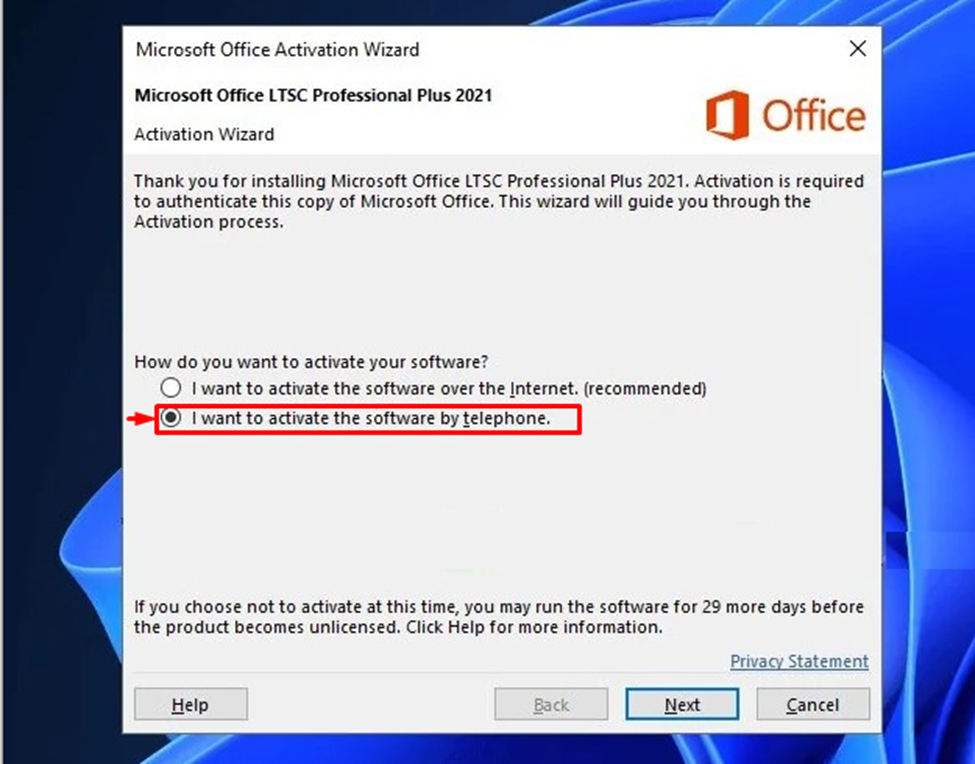
Step 2: Generate the Installation ID
After clicking "Next," the activation wizard will display a series of numbers known as the Installation ID (IID).
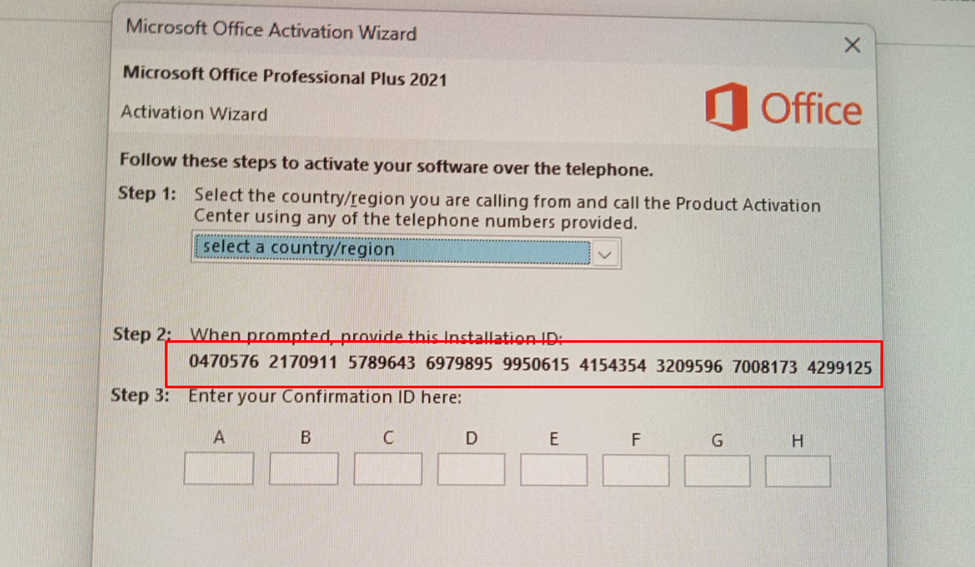
Step 3: Click Next
Please cal the Microsoft helpline to activate your code. You need to enter the Installation ID (IID) over the phone. You will be provided with a confirmation ID
Step 4: Enter the Confirmation ID
Once provided with the Confirmation ID (e.g., 466541-886713...), simply enter it into the empty boxes in the activation wizard.
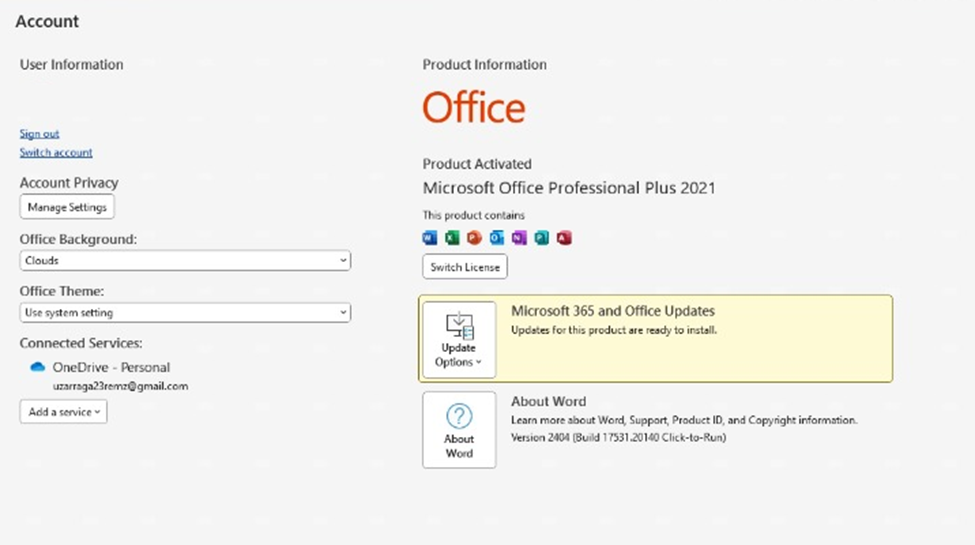
Congratulations! Your Microsoft Office Professional Plus 2021 is now fully activated and ready for use.